Understanding Latency in Voice AI Agents
What latency means on a live call, why Eleven v3 is slower than Flash, and how tools like book_appointment add delay — so you can set the right expectations.
Latency is the gap between the moment a caller stops speaking and the moment your agent starts replying. On a phone call, even small delays are noticeable — so it helps to understand what drives latency and which of your own settings push it up or down.
Two different latency numbers
When people say 'latency' they usually mean one of two things, and the difference matters:
What happens between the caller speaking and the agent replying
Every spoken reply travels through a pipeline, and each stage adds a little time:
- Speech recognition (ASR) — the caller's words are transcribed to text.
- LLM — the AI reads the transcript (plus your prompt, knowledge base, and memory) and decides what to say.
- Text-to-speech (TTS) — the chosen voice model turns that text into audio.
- Network + playback — the audio streams back over the phone line and plays. Most players buffer a little to avoid stutter.
Voxinity streams audio as soon as the first chunk is ready, so callers hear the agent begin speaking instead of waiting for the whole sentence to finish. That keeps perceived latency low even when the full reply is long.
Model choice: Flash v2.5 vs Eleven v3
This is the single biggest lever you control. The difference between Flash and v3 is architectural, not a setting that can be tuned away — richer audio simply takes more computation.
How Voxinity warms up your agent before every call
A voice model is fastest once it's already 'warm' — connected, loaded, and ready. The slowest response is almost always the very first one, while the model is still cold. Voxinity hides this cold-start so your caller never feels it — but it does it differently for outbound vs inbound, because what sounds natural is different in each case.
Outbound calls — a short delay warms the agent before the phone rings
On an outbound call, Voxinity boots the agent FIRST and holds a short warm-up window — it delays the call by a few seconds — BEFORE it actually dials the contact. During that brief delay the agent's brain (LLM) and voice (TTS) load in the background, while the contact's phone hasn't even started ringing. By the time it rings and they answer, the agent is already hot and replies almost instantly on their first words — instead of 8-12 seconds of dead air during the conversation, which makes leads say 'hello?' over and over or even hang up. The contact never hears anything during the delay, because they aren't on the line yet.
Inbound calls — a ring or two before the AI answers
On an inbound call the caller DIALED you, so hearing the phone ring is exactly what they expect. Voxinity uses those rings as free warm-up time: it lets the line ring (one or two times) while the agent loads in the background, then the AI picks up already warm. Because ringing is natural when you're calling someone, the warm-up is completely invisible — this is why inbound calls feel so instant.
The number of rings before the AI answers is configurable per agent (default 1). More rings give a heavier agent — for example one with a large knowledge base or several tools — extra time to be fully ready before it speaks.
Tools & function calling add latency
When your agent calls a tool — book_appointment, check_availability, reschedule_appointment, add_tag, transfer_call, and so on — it has to pause, send a request to an external system (your calendar or CRM), wait for the response, and only then continue talking. That round-trip is outside the voice model and adds real delay, especially for calendar and CRM lookups.
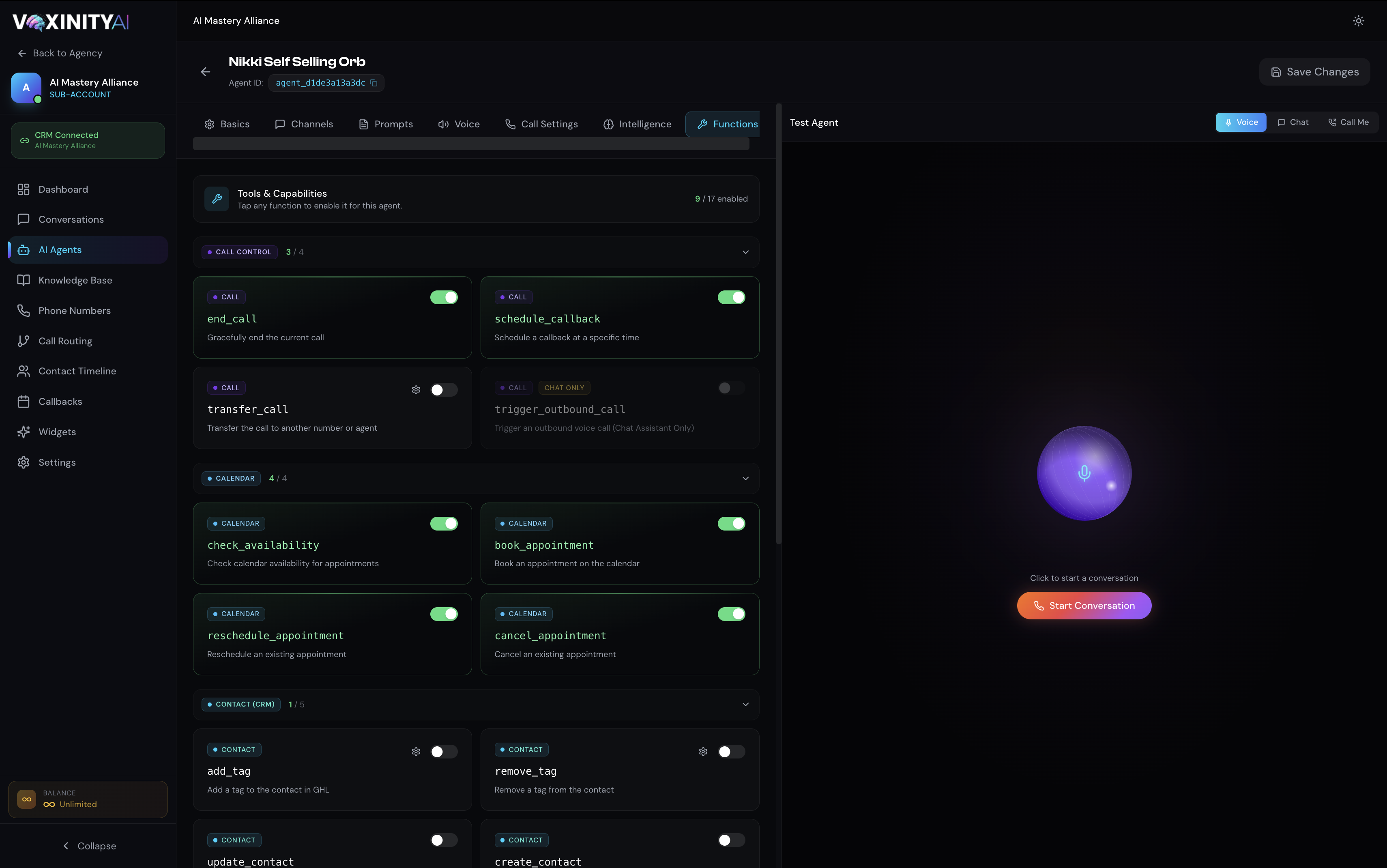
- The more tools an agent calls during a turn, the longer the caller waits for that reply.
- Calendar and CRM tools (check_availability, book_appointment) are usually the slowest because they depend on a third-party API.
- Only enable the tools an agent actually needs — extra tools widen the LLM's decision space and can slow responses.
Pre-Tool Speech — make tool pauses feel like normal conversation
Pre-Tool Speech lets the agent say a short, natural line BEFORE it runs a tool — so instead of dead silence while your calendar or CRM responds, the caller hears something like 'Let me check what we have available…' and the wait feels like a normal part of the conversation. You'll find it under Agent → Call Settings → Tool Execution Behavior.
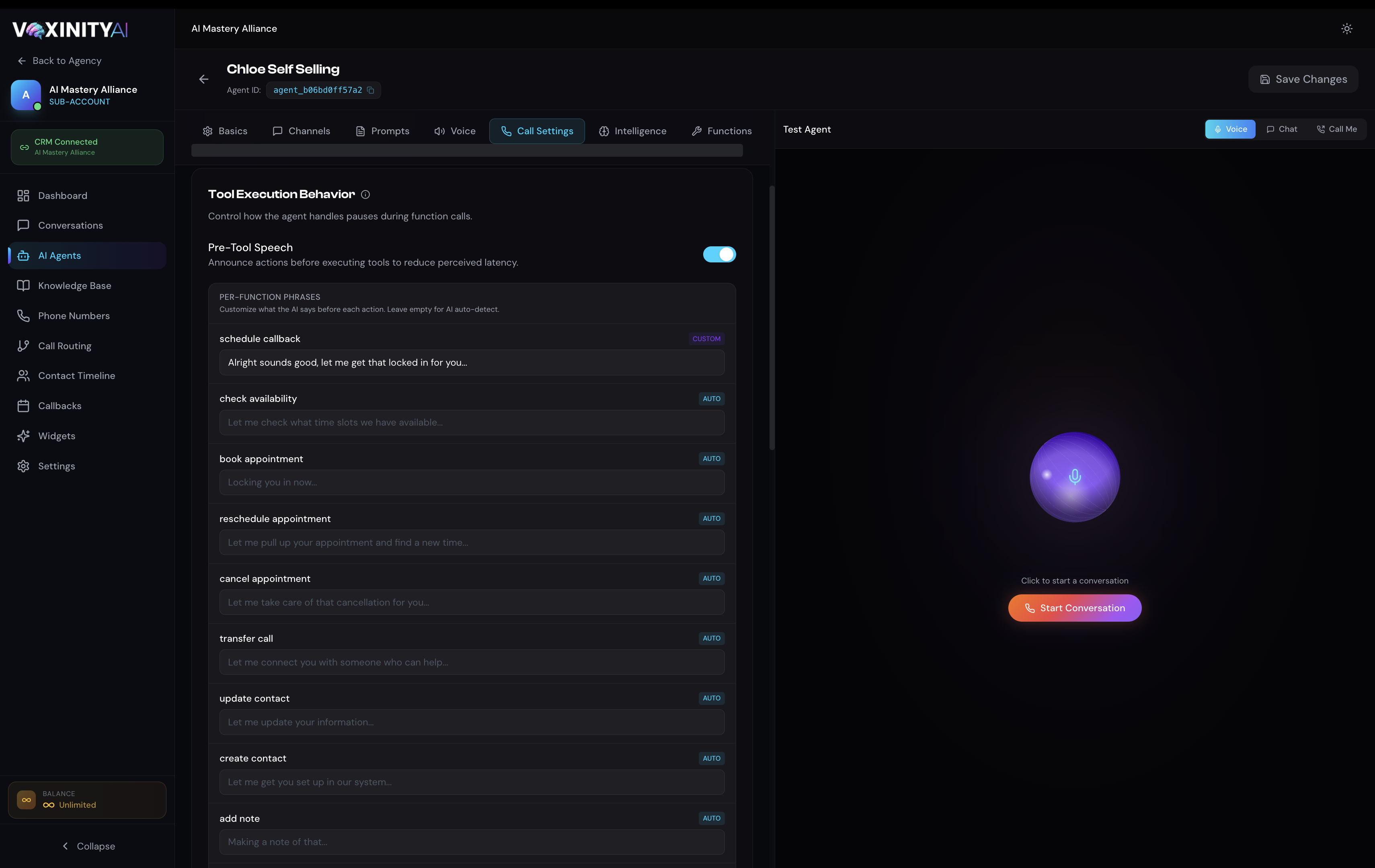
With it switched on you get a per-function phrase list. Each function can work one of two ways:
- Put CUSTOM phrases on the slowest, highest-stakes tools — check_availability and book_appointment — where the wait is longest and the caller is most anxious.
- Keep phrases short and conversational, and end with an ellipsis so the line flows naturally into the result.
- Leave the faster tools (add_note, update_contact) on AUTO — they rarely pause long enough to need a scripted line.
Other things that affect latency
How to keep calls feeling fast
- Use Flash v2.5 for live calls unless you specifically need v3's expressiveness.
- Enable only the tools the agent needs, and keep Pre-Tool Speech on.
- Keep system prompts under ~700 words; move detailed facts into the Knowledge Base.
- Tell the agent to answer concisely and avoid long monologues.